Records on your device. No bot joins the call.
Never take meeting notes again
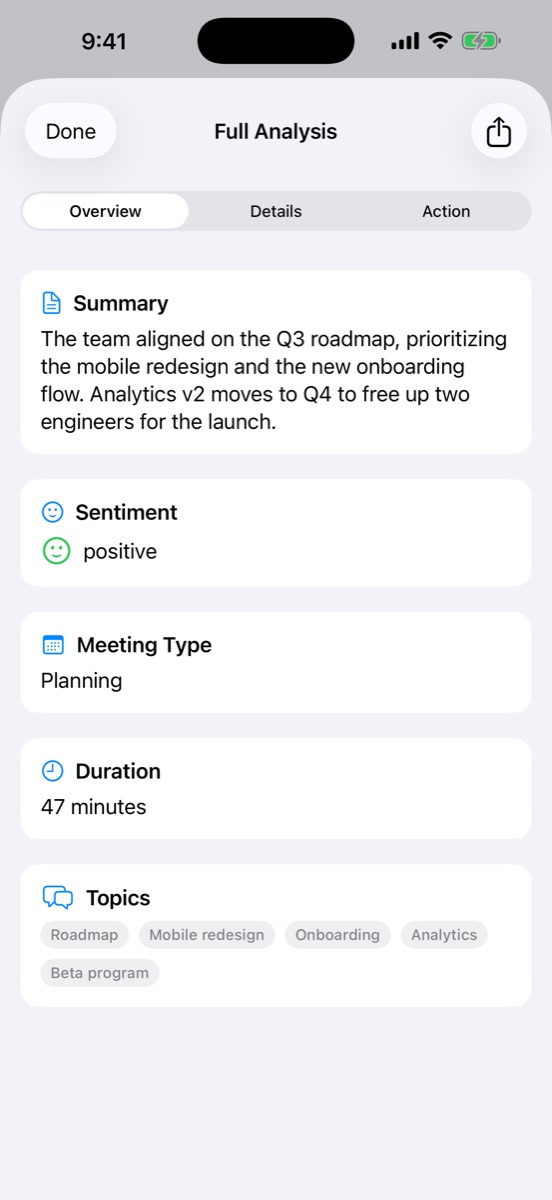
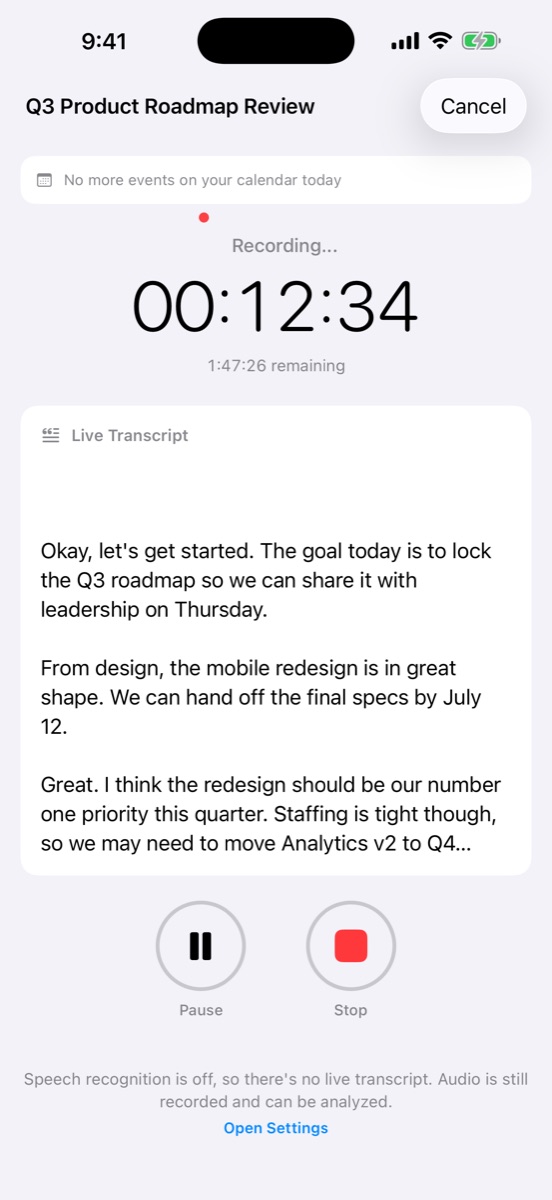
Press record and stay in the conversation. AI Note Taker transcribes live, then hands you the summary, decisions, action items and a ready-to-send recap email.
 Get the iPhone app
- Unlimited transcription on the free plan
- No credit card required
- Web, iPhone, iPad and Mac
- recording and transcription, free
- Unlimitedrecording and transcription, free
- from stop to AI summary
- <2 minfrom stop to AI summary
- accuracy on clear English audio
- 95%+accuracy on clear English audio
- bots joining your call
- 0bots joining your call
See it in action
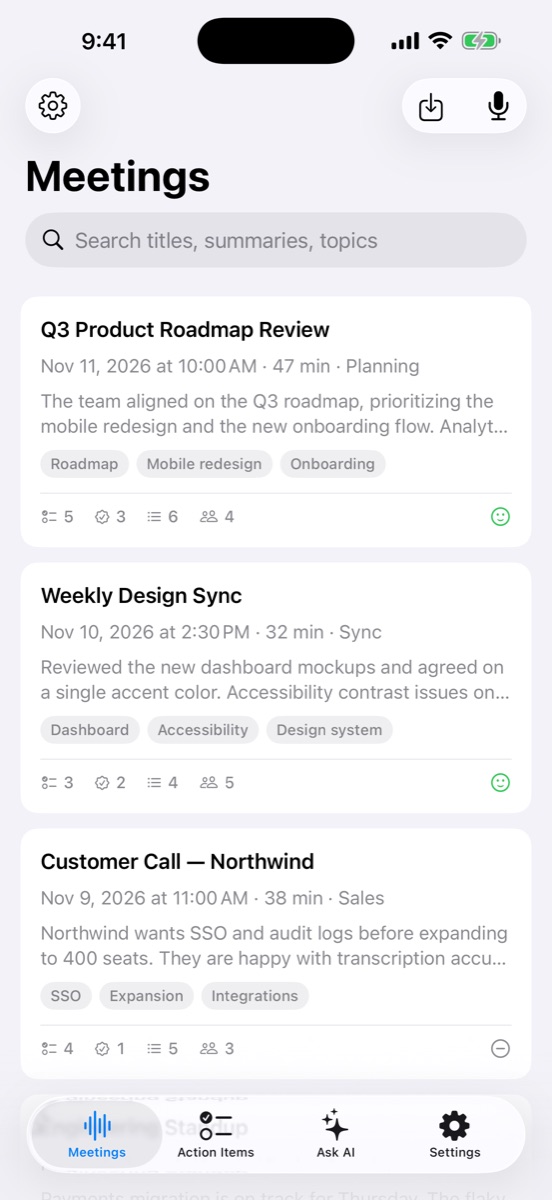
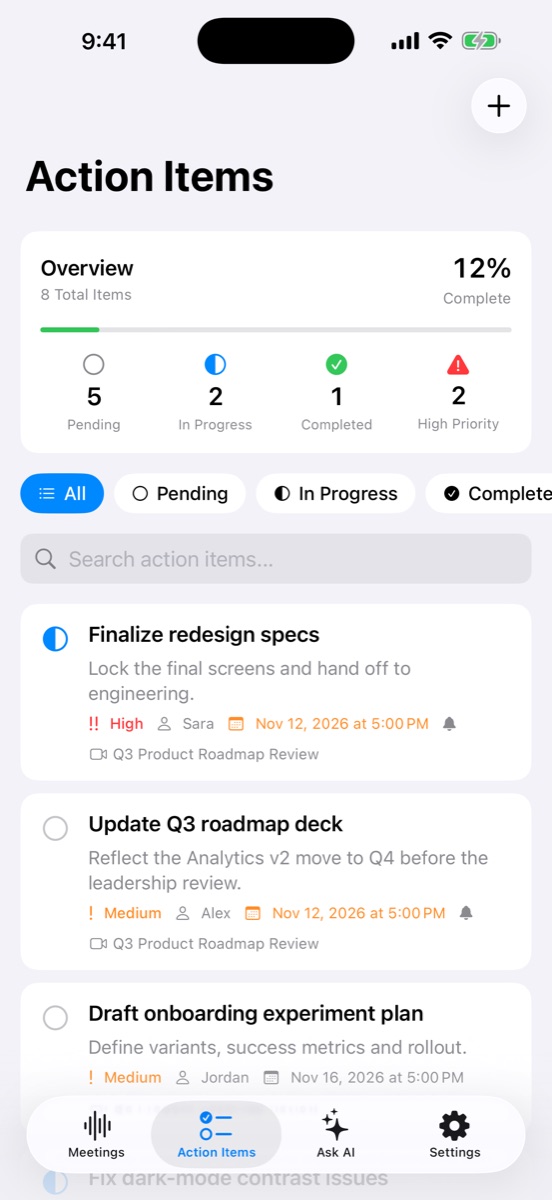
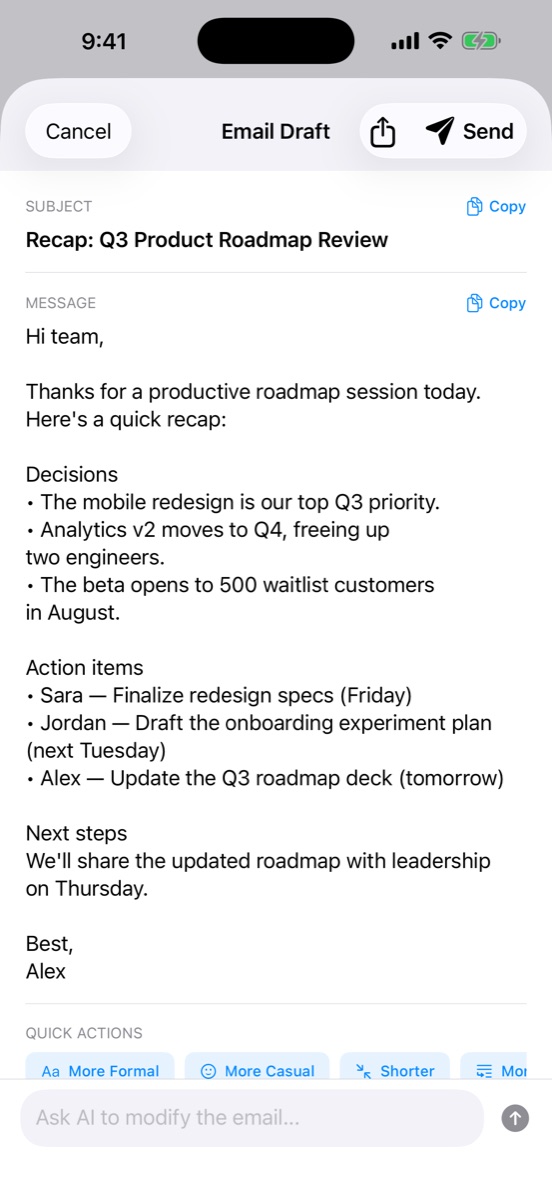
Your meetings, beautifully organized
From the first word to the follow-up email, everything lives in one app on iPhone, iPad, and Mac.
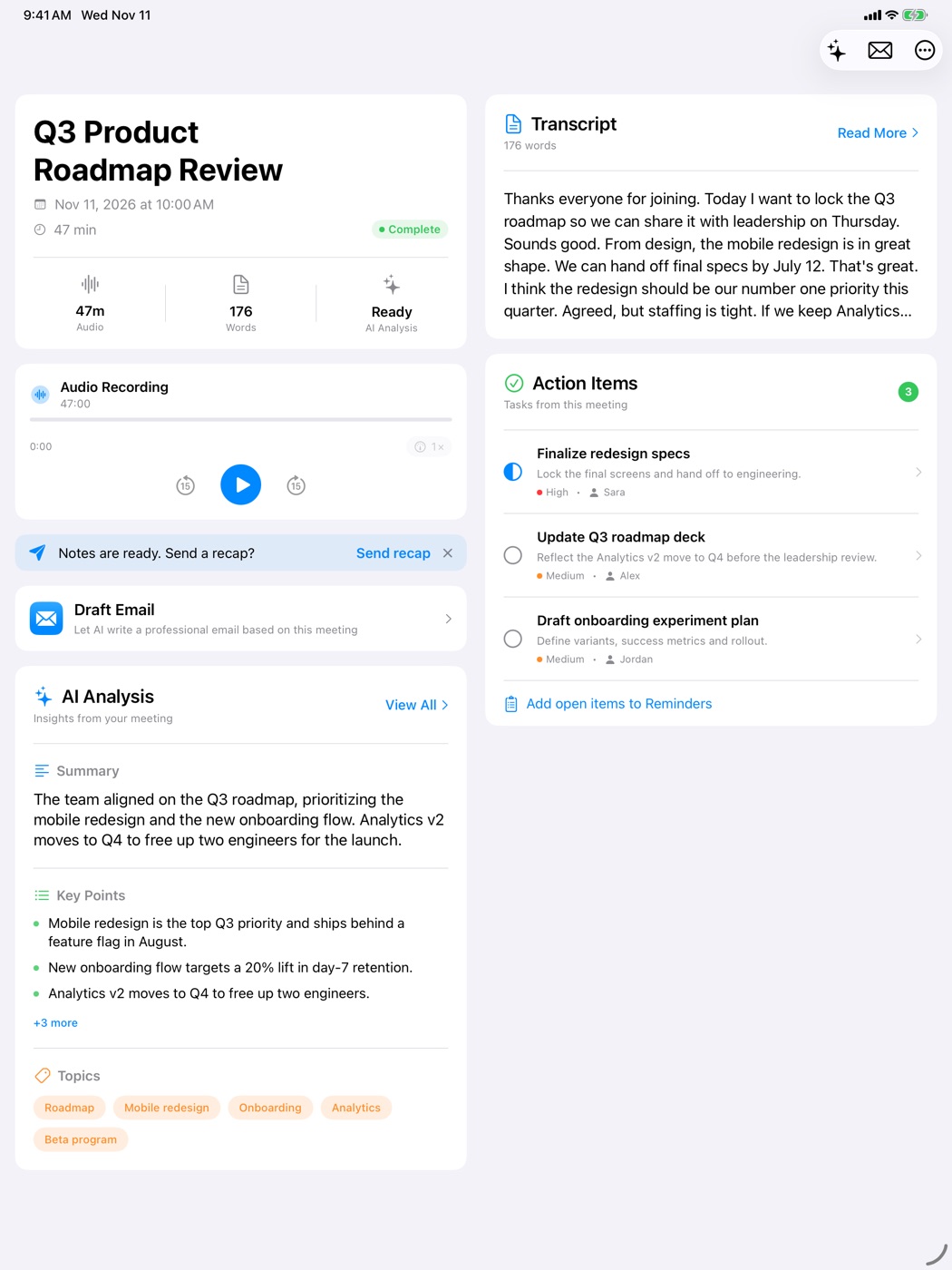
Room to think on iPad and Mac
Transcript, analysis, and action items side by side.
Why AI Note Taker
Built for the meetings other note takers can't reach
In person, on a call, or in a room with no signal. If you can hear it, you can capture it.
No bot in the room
It records on your own iPhone or browser tab. Nothing joins the call, and nobody has to admit a guest.
Keeps recording offline
The iPhone app records without a connection, then transcribes and syncs when you are back online.
Who said what, and when
Transcripts are split by speaker and time-stamped, so you can jump straight to the quote or the number.
Bring your own recordings
Import audio or video you already have (MP3, M4A, WAV, MP4, MOV and more, up to 500 MB).
Share and export
Send a share link, download notes and transcript as Markdown, or print them to PDF.
Private by default
Encrypted in transit and at rest. Only you can open a meeting unless you create a share link.
How it works
From “let's get started” to follow-up sent, in three steps
- 1
Press record
Start on your iPhone or in a browser tab. The transcript appears live while people talk.
- 2
Let AI write it up
When you stop, you get a summary, key decisions, and action items with owners and due dates.
- 3
Follow up in minutes
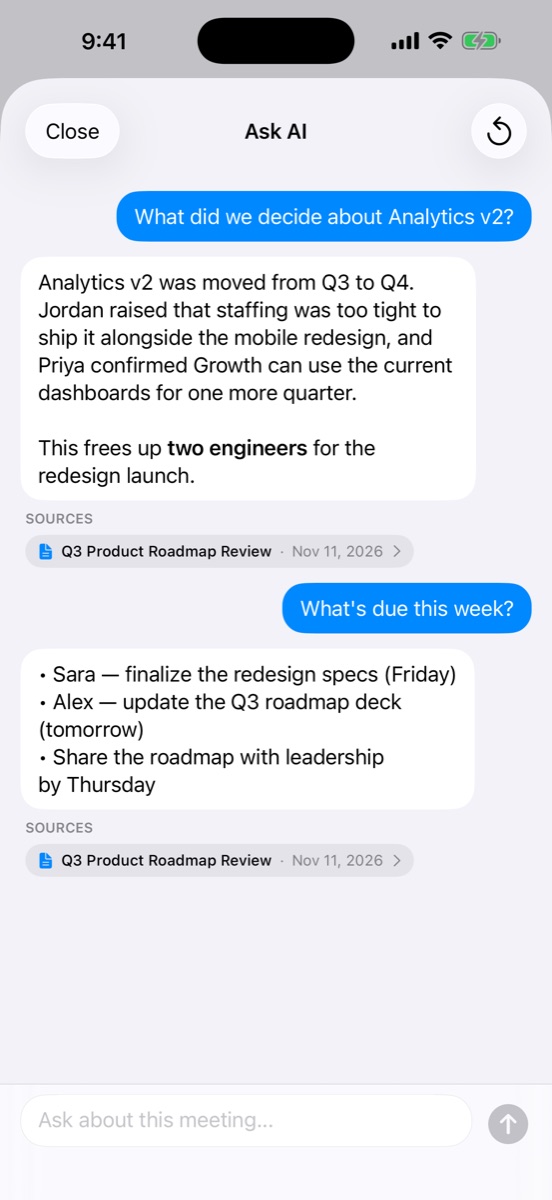
Send the drafted recap email, tick off action items, and ask AI anything you missed.
Made for the way you work
Lectures, discovery calls, interviews, client intakes. Pick your role to see the workflow.
Free meeting tools
Run in your browser. No sign-up, nothing uploaded.
Start free. Upgrade when it earns it.
Transcription is free forever. Pay only when you want AI on every meeting.
Free
$0
Forever. No credit card required.
- Unlimited meeting recordings
- Unlimited transcriptions
- 1 free AI analysis
Pro
$8.33/mo
Billed yearly ($99.99), or $19.99 month to month.
- Everything in Free
- Unlimited AI analyses
- Advanced action item management
Questions, answered
Does a bot join my meeting?
No. AI Note Taker records through the microphone of your own device, so nothing joins the call or the room. Direct integrations with Zoom, Google Meet and Teams are on the roadmap.
What do I get for free?
Unlimited recording and transcription, plus one AI analysis so you can see the summary, action items and recap email on a real meeting. Pro unlocks unlimited AI analyses.
How accurate is the transcription?
Over 95% for clear audio in English. Accuracy depends on audio quality, background noise and how clearly people speak. English is the only supported language today.
Who can see my meetings?
Only you, unless you create a share link. Audio and transcripts are processed by Google's Gemini AI service to produce the transcript and analysis. We never sell your data or use it for advertising.
Which devices does it work on?
Any modern browser (Chrome, Safari, Firefox) and the iOS app. Your meetings sync automatically across all of them.
More questions? Read the full FAQ
Your next meeting can write its own notes
Record it free today. No credit card, no bot, no setup.